
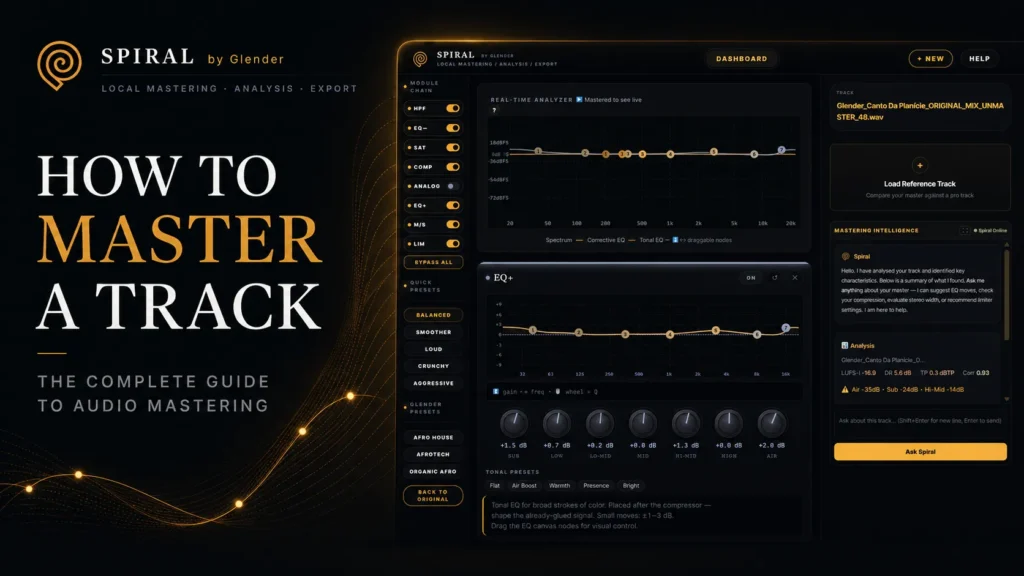
How to Master a Track: The Complete Guide to Audio Mastering
Learn how to master a track from start to finish — mastering chain order, EQ, compression, LUFS targets for Spotify and streaming, plus a practical SPIRAL workflow.
How to Master a Track: The Complete Guide
Mastering is the final creative step in music production. It is the bridge between your mix and the listener — ensuring your track sounds consistent, professional, and powerful on every system: club speakers, headphones, car stereos, and phone speakers.
This guide covers the complete mastering chain order, LUFS targets for every platform, common mistakes, and a practical step-by-step workflow you can follow today.
What Is Mastering?
Mastering is not about making your track louder. It is about making it translate. A well-mastered track sounds balanced across all playback systems — the low end does not disappear on small speakers, the highs do not become piercing on headphones, and the dynamics remain intact.
Quick answer: Mastering is the final polish — EQ, compression, stereo width, and limiting — that prepares a mix for distribution.
The Mastering Chain Order
The order of your processors dramatically affects the result. Here is the standard mastering chain:
- High-Pass Filter (HPF) — Remove subsonic rumble below 20–30Hz. This frees headroom without affecting audible bass.
- Corrective EQ — Fix problems: muddy low-mids (200–400Hz), harshness (2–5kHz), resonant peaks. Use narrow Q, surgical cuts.
- Saturation — Add harmonic density and warmth. Increases perceived loudness without pushing the limiter harder.
- Compression — Glue the mix together. 1–2dB of gain reduction, slow attack, auto release. If every kick makes the mix pump, back off.
- Tonal EQ — Broad strokes for color. A 0.5dB shelf at 10kHz adds air; a 0.5dB boost at 60Hz adds weight.
- Mid-Side Processing — Control stereo width. Keep kick, bass, and vocals centered. Let atmosphere expand in the sides.
- Limiting — The final ceiling. Set your output level and push gain until the music tells you to stop — then back off 0.5dB.
LUFS Targets for Every Platform (2026)
| Platform | Target LUFS | True Peak |
|---|---|---|
| Spotify | -14 LUFS | -1 dBTP |
| Apple Music | -16 LUFS | -1 dBTP |
| YouTube | -14 LUFS | -1 dBTP |
| SoundCloud | -8 to -13 LUFS | -1 dBTP |
| Club / DJ Sets | -8 to -10 LUFS | -0.3 dBTP |
| CD | -9 to -12 LUFS | -0.1 dBTP |
Important: LUFS targets are guidelines, not rules. A well-balanced master at -10 LUFS sounds better than a crushed one at -14 LUFS. Let the music decide the limit.
Practical Mastering Workflow in SPIRAL
SPIRAL by GLENDER is a free browser-based mastering engine with a full professional chain. Here is the workflow:
- Load your mix — Drag and drop WAV, MP3, or FLAC. SPIRAL analyzes LUFS, spectrum, dynamics, and true peak automatically.
- Check the analysis — Review frequency distribution and peak info before touching any processor.
- Apply HPF — Clean subsonic energy at 25–30Hz.
- Corrective EQ — Address problem frequencies with narrow cuts. Bypass to check if the fix actually improved the sound.
- Saturation — Gentle harmonic enhancement adds density and perceived loudness naturally.
- Compression — 1–2dB of glue. Slow attack preserves transients.
- Tonal EQ — Broad shelves for color and balance.
- Mid-Side — Widen the sides, tighten the center. Check mono compatibility.
- Limit with care — Set ceiling and increase gain until transients start to soften — then back off.
- A/B constantly — Level-matched comparison between original and mastered. If the master does not feel better, it is not finished.
- Export and test — 24-bit WAV. Test on monitors, headphones, and phone speakers before release.