
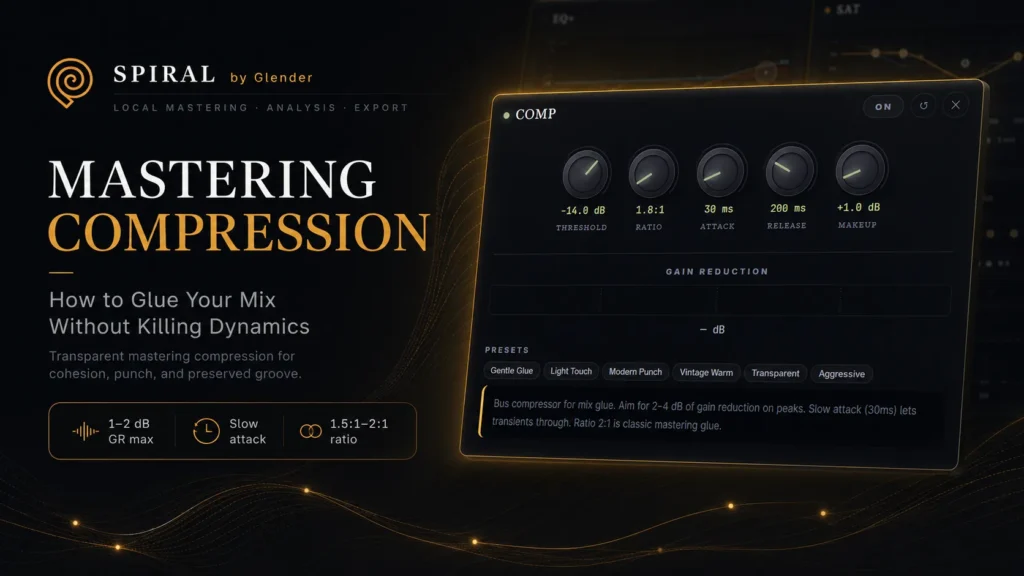
Mastering Compression: How to Glue Your Mix Without Killing Dynamics
Mastering compression is about glue, not control. Learn attack, release, ratio for transparent compression.
Mastering Compression: How to Glue Your Mix Without Killing Dynamics
Mastering compression is the most misunderstood tool in the chain. Producers either avoid it entirely — or crush their masters with it. The truth is in the middle: mastering compression, used correctly, creates cohesion — the sense that every element belongs together. Used incorrectly, it flattens transients, kills groove, and makes your master sound smaller.
Mix Compression vs Mastering Compression
These are completely different tools with different goals:
- Mix compression: Individual tracks or buses. Can be aggressive — 4–10 dB of gain reduction. Controls dynamics within a single element.
- Mastering compression: The entire stereo mix. Must be transparent — 1–2 dB of gain reduction maximum. Creates glue across all elements. The track should feel slightly more together with it on. Bypassed, you should barely notice the difference — just a subtle loss of cohesion.
The Mastering Compressor Settings
| Parameter | Starting Point | Why |
|---|---|---|
| Ratio | 1.5:1 to 2:1 | Low ratio = transparent. Higher sounds like mix compression. |
| Attack | 30–100ms | Slow attack preserves transients and punch. |
| Release | Auto or 100–300ms | Medium release avoids pumping. Auto adapts to material. |
| Threshold | 1–2dB GR on peaks only | Gain reduction only on the loudest sections — not constant. |
| Makeup Gain | Match bypassed level | Always level-match when A/B. Louder always sounds “better.” |
Signs You Are Over-Compressing
- The kick no longer punches — it pushes the whole mix down
- The track sounds smaller with compression on than off (level-matched)
- Short-term LUFS varies less than 2 LUFS across the whole track
- More than 3dB of gain reduction continuously
- The snare has lost its snap — the transient is being grabbed
Before or After EQ?
There is no universal rule, but a common approach: EQ before compression fixes tonal problems so the compressor reacts to balanced audio. Compression before EQ tames dynamics first, then shapes tone. In SPIRAL, the chain order is: HPF → Corrective EQ → Saturation → Compression → Tonal EQ → M/S → Limiter. Corrective EQ before compression (clean signal for the compressor), tonal EQ after (shaping the compressed result).